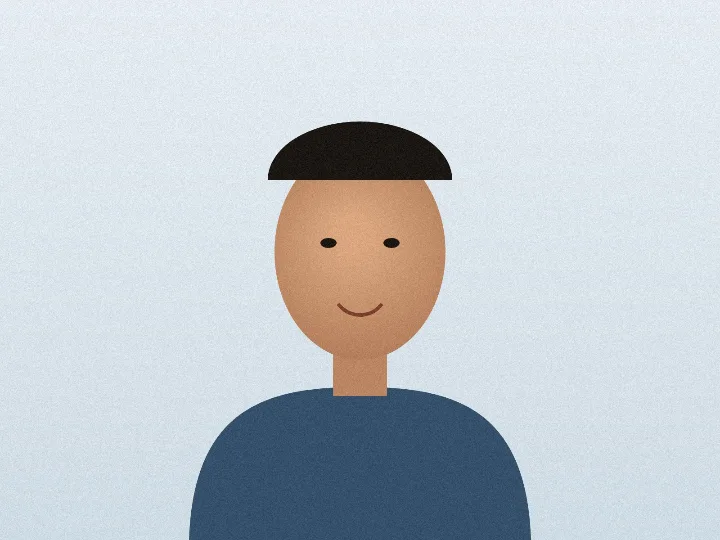
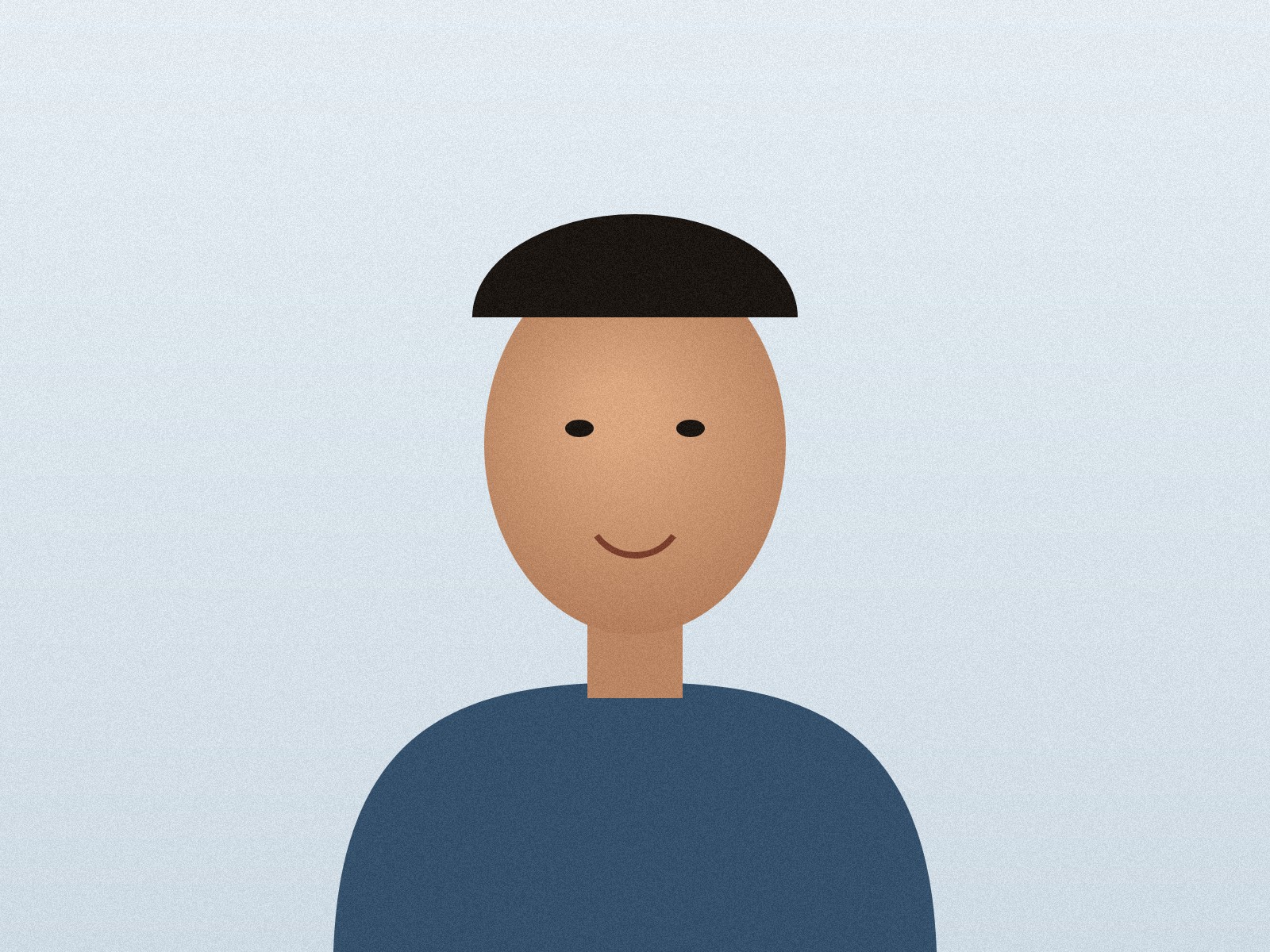
Sample photo: 4:3 landscape portrait
Add a photo, enter the KB range your form asks for, and download a JPG that lands inside it. Set the size in pixels or centimetres, or start from a published IBPS, UPSC, NEET or passport size. For any other form, type that form's own limits. Everything runs on your device, so the photo is never uploaded.
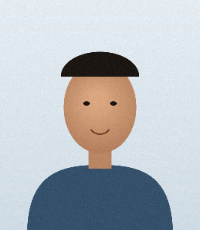
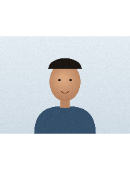
The input is a sample portrait illustration created by FormAssets, not a real person, saved as a 4:3 landscape JPEG the way a phone camera saves it. It went through the IBPS photograph preset and the TNPSC OTR preset. Every number below is measured from the output file.
prepareAsset() from FormAssets’ lib/readiness.ts, the engine the IBPS and TNPSC application pages run, called in desktop Chrome 153.0.8010.53. The tool above uses a different routine (lib/target-size.ts, which searches quality and pixels to fit a KB range), so its own results on this sample are given under Cross-check.To reach 200 × 230 px, the engine kept the full height and the centre 1,043 of 1,600 pixel columns. The result was 32.1 KB, inside 20 to 50 KB without padding. Check that the crop has not cut into the head or shoulders.
TNPSC’s preset fits the whole image, so a landscape photo becomes a small picture between white bands in the 130 × 170 frame. Its image data was 12.6 KB, under the 20 KB minimum, so the preset padded it to 20.1 KB and wrote 200 DPI. Crop a landscape photo to portrait before using a fit-without-cropping preset.
Copy the limits from your form, or start from a preset. Note the KB range and, if the form gives one, the size in pixels or centimetres. If your exam is in the preset list, pick it: the tool fills in the numbers and shows the rule with a link to its source. The official photo sizes and passport and visa sizes tables below list the same rules.
Enter the maximum, and the minimum if the form states one. The tool keeps the file under the maximum and over the minimum whether the portal counts 1 KB as 1,000 or 1,024 bytes.
Choose how to size the picture. Keep my proportions is for forms that state only a file size; Exact pixels is for a stated width and height; Centimetres turns a size such as 3.5 × 4.5 cm into pixels at the DPI you enter.
Pick fill frame or fit all. Fill frame suits a portrait only when edge cropping will not remove the face or required background.
Compare before and after, then download. Open the JPG once and confirm the subject, orientation and background before uploading. If a picture cannot reach your limits, the message says why and offers the next step; a file under the minimum can also go through the increase image size tool.
Each row is one run of this tool's size search, set to keep proportions, on a computer-generated test photo of a scene with no person in it: 1200 × 900 px and 285.1 KB. The output keeps the photo's proportions and stays under each maximum counted as 1,000 bytes per KB.
| Maximum | Output pixels | Output | JPG quality |
|---|---|---|---|
| 100 KB | 996 × 747 px | 97.1 KB | 77 / 100 |
| 50 KB | 705 × 529 px | 48.6 KB | 75 / 100 |
| 20 KB | 379 × 284 px | 19.8 KB | 78 / 100 |
Tested on 11 October 2026 by running this tool's own code outside the browser. Your photo or browser may give different sizes, so treat the table as an example.
The tool takes the range a form states and reports where the file landed, so you can see it passes before you upload.
With Exact pixels or Centimetres, the width and height are yours and only the JPG quality moves: it tries qualities between 100 and 2 out of 100 and keeps the highest one that fits your maximum. With Keep my proportions it also searches the pixel size, and prefers a smaller, sharper picture to a large blocky one: it gives up pixels before letting quality fall under 72, and never goes under 35.
A small or plain picture can be under a minimum even at full quality. The tool then adds padding bytes that image viewers ignore, and the result shows how many. It does not blur or enlarge the picture to gain size. To raise an existing file to an exact size, use the increase image size tool.
Portals disagree on whether 1 KB is 1,000 or 1,024 bytes. The file stays at or under the maximum times 1,000 bytes and at or over the minimum times 1,024, so it passes under either count. If your minimum and maximum are too close for that, the tool sizes for 1,024 and tells you.
PNG, WebP and screenshots come out as JPG, with transparent areas turned white, because the exam notices above ask for JPG. HEIC opens only in browsers that can decode it; if yours cannot, the tool says so and how to save a JPG instead. Up to 10 images can be prepared at once with the same limits, with a ZIP of the results.
Each row was read in the issuing body's own document on the date shown, and the link opens that document. Where a source is silent, the last column says what the preset leaves open instead of guessing. Portals that could not be read from their own site, such as PAN card uploads, are not listed.
| Exam or service, file | Size | Official source | Left open by the source |
|---|---|---|---|
| IBPS RRB and other IBPS-run noticesPhotograph | 200 × 230 px20 to 50 KB |
| IBPS calls the pixel size preferred and the file size the requirement. Other IBPS-run notices, such as RCF and India Exim Bank, use the same figures in their own notices. |
| IBPS RRB and other IBPS-run noticesSignature | 140 × 60 px10 to 20 KB |
| Nothing beyond the numbers shown. |
| IBPS RRB and other IBPS-run noticesLeft thumb impression | 240 × 240 px at 200 DPI20 to 50 KB |
| Nothing beyond the numbers shown. |
| IBPS RRB and other IBPS-run noticesHandwritten declaration | 800 × 400 px at 200 DPI50 to 100 KB |
| Nothing beyond the numbers shown. |
| SSC CHSL and CPO 2026Signature about 6.0 × 2.0 cm | 472 × 157 px at 200 DPI10 to 20 KB |
| The notices state centimetres and no DPI, so 472 × 157 px is 6.0 × 2.0 cm at an assumed 200 DPI. Both notices also give 4.0 cm elsewhere (CHSL Annexure-IV, CPO paragraph 23(k)); the SSC pages on this site explain the conflict. SSC 2026 captures the photograph live, so there is no photo file to prepare. |
| UPSC online applicationPhotograph | No pixel size stated20 to 200 KB |
| The instructions give no pixel size for the photograph, so this preset keeps your proportions. Crop tight around the face first: the 75% face rule is checked on the picture you upload. The download is named photo.jpg, as the instructions ask. |
| UPSC online applicationTriple signature | Longest side 350 to 500 px20 to 100 KB |
| The instructions do not say whether 350 to 500 pixels is the width or the height. This preset keeps your proportions, caps the longest side at 500 px and tells you if it comes out under 350 px; check the result against the upload screen. The download is named signature.jpg, as the instructions ask. |
| NEET (UG) 2026Photograph | No pixel size stated10 to 200 KB |
| The bulletin gives no pixel size, so this preset keeps your proportions. Crop so the face fills about 80% of the picture before you resize. |
| NEET (UG) 2026Signature | No pixel size stated10 to 100 KB |
| The bulletin gives no pixel size, so this preset keeps your proportions. |
| Passport and visa photosIndian passport photo | 630 × 810 pxNo file size stated |
| The guideline states no file size, so this preset leaves the KB limits as you set them: copy the limit from the upload screen. Fill frame crops the edges, so centre the head first. |
| Passport and visa photosUS passport photo | 600 × 600 px54 KB to 10 MB |
| 2 x 2 in at 300 DPI = 600 x 600 px. The State Department's passport pages state no pixel size; its visa photo page asks Diversity Visa entrants for exactly 600 x 600 px |
| Passport and visa photosIndia e-Visa photo | 600 × 600 px10 KB to 1 MB |
| The Indian government e-Visa portal states only that the photo's height and width must be equal; it gives no pixel count or DPI. This preset uses 600 x 600 px, a square size comfortably inside the 10 KB to 1 MB file limit |
Photograph rules from the notices FormAssets tracks, each checked against the issuing authority's document on the date shown. IBPS-run notices describe the pixel dimensions as preferred and give the file-size range as the requirement. SSC's 2026 cycles are not listed because the photograph is captured live in the application.
| Application | Dimensions | File size | Resolution | Official source |
|---|---|---|---|---|
| IBPS RRB XV Officers 2026 | 200 × 230 px | 20–50 KB | Not stated | IBPS (opens in a new tab) Checked 23 Sept 2026 |
| IBPS RRB XV Office Assistants 2026 | 200 × 230 px | 20–50 KB | Not stated | IBPS (opens in a new tab) Checked 18 Sept 2026 |
| RCF Assistant Officer (Secretarial) 2026 | 200 × 230 px | 20–50 KB | Not stated | Rashtriya Chemicals and Fertilizers Limited (opens in a new tab) Checked 18 Sept 2026 |
| India Exim Bank SRD 2026 | 200 × 230 px | 20–50 KB | Not stated | Export-Import Bank of India (opens in a new tab) Checked 15 Oct 2026 |
| TNPSC One Time Registration | 130 × 170 px (3.5 × 4.5 cm) | 20–50 KB | 200 DPI | Tamil Nadu Public Service Commission (opens in a new tab) Checked 18 Sept 2026 |
Only countries whose current official page states a size are listed. Use the matching preset button above the tool (the UK has none: its note below says why), then check your own government's current page before submitting: requirements change.
| Country | Printed size | Pixel preset | Head size | File size | Official source |
|---|---|---|---|---|---|
| United States Passport and visa photo | 2 x 2 in (51 x 51 mm) | 600 × 600 px | 1 to 1 3/8 in (25 to 35 mm) from chin to crown | 54 KB to 10 MB for an online passport renewal upload | U.S. Department of State: passport photos (opens in a new tab) Checked 11 Oct 2026 |
| United Kingdom Passport photo | 45 x 35 mm | None at least 600 × 750 px, uncropped | 29 to 34 mm from chin to crown | 50 KB to 10 MB for the online application | GOV.UK / HM Passport Office: photos for passports (opens in a new tab) Checked 19 Oct 2026 |
| India e-Visa photograph | Not stated (digital upload only) | 600 × 600 px | Not stated | 10 KB to 1 MB, JPEG | Indian government e-Visa portal: photo requirements (opens in a new tab) Checked 26 Sept 2026 |
Pick the limit your form states.
There is no single national standard; each notice sets its own. IBPS-run recruitments ask for 200 × 230 pixels at 20–50 KB. TNPSC asks for 130 × 170 pixels (3.5 × 4.5 cm) at 20–50 KB and 200 DPI, with your name and the date of photography printed at the bottom. UPSC asks for a JPG of 20–200 KB and NEET (UG) 2026 for 10–200 KB, and neither states pixels. The Indian passport photo guideline gives 630 × 810 pixels and no file size. SSC's 2026 cycles take the photograph live inside the application, so there is no photo file to upload. Copy the numbers from your own notice, or pick its preset above.
Type the minimum in the Minimum size box, or pick your notice's preset, which sets it. The tool then makes the file at least that large by adding padding bytes that image viewers ignore, and the result says how many it added; the pixels are unchanged. To raise a file that already exists to an exact KB without re-compressing it, use the increase-image-size tool.
Fill frame crops the edges so the photo fills the exact width and height with no borders; use it for a portrait when trimming the edges will not cut into the face or required background. Fit all keeps the whole image and adds white space instead.
Yes, when you ask. With exact pixels, type a DPI in the optional DPI box (the IBPS thumb impression and declaration presets fill in 200); with centimetres, the DPI you enter is written into the file. DPI is a label stored in the JPG and does not change the pixels, and many portals check only the pixels and the KB.
No. Resizing and compression happen inside your browser and the JPG downloads straight to your device. There is no account and no server copy of your image.
The U.S. Department of State asks for a 2 x 2 inch (51 x 51 mm) print for passports and visas. An online passport renewal takes a JPG, PNG or HEIC file of 54 KB to 10 MB, and the passport pages state no pixel size. The visa photo page asks Diversity Visa entrants for a 600 x 600 pixel JPEG of 240 kB or less. The US preset in the list above sets 600 x 600 px (2 x 2 in at 300 DPI) and the 54 KB to 10 MB range of the passport upload; for a Diversity Visa entry, change the maximum to 240 KB. Fill frame is preselected so the photo covers the square with no white border.
GOV.UK states a printed photo of 45 x 35 mm, and an online photo at least 600 pixels wide and 750 pixels tall, between 50 KB and 10 MB. It also wants the digital photo unaltered by computer software, and says not to crop a photo taken on your own device because the service crops it. That is why this tool has no UK preset: if your original photo meets those limits, upload it as it is, or get a photo code from a photo booth or shop.
indianvisaonline.gov.in asks for a JPEG between 10 KB and 1 MB with equal width and height; it does not state a pixel count or DPI. The India e-Visa preset in the list above sets a 600 x 600 px square, well inside that file-size range. Check the plain, light-coloured background and full-face, no-spectacles rules on the portal's own page before you upload.
Pick Indian passport photo, 630 × 810 px in the preset list, add the photo and select Make JPG. That is the size in the Passport Seva guideline for ICAO-compliant photographs, which also asks for a colour photo on a white background with the face taking up 80 to 85 percent of the picture. The guideline states no file size, so type the KB limit your upload screen shows. Fill frame crops the edges, so centre the head in the photo first.
Choose Centimetres at a DPI, enter 3.5 as the width and 4.5 as the height, and pick a DPI: at 300 DPI that is 413 × 531 pixels, at 200 DPI it is 276 × 354. A size in centimetres is a printing size and needs a DPI to become pixels, so use the DPI your form states, or 300 if it states none. Most upload portals check pixels and KB and ignore centimetres; IBPS, for example, names the photograph as 4.5 cm × 3.5 cm and prefers 200 × 230 pixels.
A pixel (px) is one dot of the picture, and width × height in px is how many dots it has. KB is how many bytes the file takes. They are linked but not the same: a picture with fewer pixels usually makes a smaller file, which is why this tool can shrink the pixels to reach your KB limit when you let it choose them.
That is a file that must be between 20 and 50 KB. Enter 20 as the minimum and 50 as the maximum. The tool keeps the file under 50,000 bytes, and if a small or plain picture comes out under 20 KB it adds padding bytes to reach the minimum and tells you how many; it cannot add detail that the picture does not have.
Both are in use: Windows counts 1,024 bytes to a KB, while some portals and tools count 1,000. The tool keeps the file at or under your maximum times 1,000 bytes and at or over your minimum times 1,024, so it passes under either count. The result shows the size both ways.
Enter the size in KB: 1 MB is 1,024 KB, so type 1024 for 1 MB or 2048 for 2 MB. The box accepts up to 10,240 KB. The result shows the file in KB and bytes.
Yes. Choose up to 10 images together and they are prepared one after another with the same limits. Each gets its own before and after and its own download, and a ZIP of all of them appears when more than one succeeds. A file that fails does not stop the others, and the message says why.
FormAssets sizes the file and pixels you specify and reports what it made. It cannot guarantee that a portal will accept the subject, background, face coverage, handwriting or identity in the picture.
Always copy the limits from the current official notice or upload screen; every preset carries the date its notice was read.
Compare the numbers in the pixels, KB and DPI guide, or start from an application preset linked to its official notice.
Other tools: Increase image size in KB · Signature resizer · Resize image to 20 KB · Compress image to 50 KB · Compress image to 100 KB · Compress image to 200 KB · Compress PDF to 200 KB · Compress PDF to 100 KB · Compress PDF to 500 KB · Compress PDF to 300 KB · Compress PDF to 50 KB · Compress image to 30 KB · Compress image to 15 KB · Compress image to 10 KB