Resize Image in Pixels
Resize image in pixels: type the width and height your form states, add the picture and download a JPG at exactly that size. The result shows the file size in KB beside the pixels, so you can see whether the upload will fit. Start from a size an exam notice publishes, such as 200 × 230 px for an IBPS photograph, or enter your own. The picture stays on your device.
Set the width and height in pixels
Nothing is uploadedHow we tested: what a pixel size does to the file size
Each row is one run of this tool's own size search, set to fill frame, on a computer-generated test picture with no person in it: 1200 × 900 px and 278.4 KB (285,062 bytes). The first measured column leaves the maximum at the page's opening value, 10,240 KB, so the JPG is saved at the top quality, 100 out of 100. The last two columns set a 50 KB maximum, the IBPS photograph limit, and show what the tool had to give up to reach it.
| Output pixels | Source scaled by | File at quality 100 | Quality for 50 KB | File at 50 KB |
|---|---|---|---|---|
| 100 × 115 px | 0.128 (shrunk) | 22.1 KB | 100 / 100 | 22.1 KB |
| 200 × 230 px | 0.256 (shrunk) | 67.4 KB | 99 / 100 | 36.2 KB |
| 400 × 460 px | 0.511 (shrunk) | 213.8 KB | 92 / 100 | 48.4 KB |
| 630 × 810 px | 0.9 (shrunk) | 525.4 KB | 68 / 100 | 48.3 KB |
| 900 × 1035 px | 1.15 (enlarged) | 891.4 KB | 42 / 100 | 48.0 KB |
| 1200 × 1380 px | 1.533 (enlarged) | 1404.9 KB | 26 / 100 | 48.3 KB |
Tested on 14 October 2026 by running this tool's own code in Google Chrome 155.0.8059.40. Another browser's encoder gives different byte counts, so treat the table as an example and read the size the tool reports for your own picture. Sizes are counted as 1,024 bytes to the KB; every file in the 50 KB column is also under 50,000 bytes. "Source scaled by" is output width divided by the width of the part of the picture that was used; above 1 means pixels were added.
From 200 × 230 to 630 × 810 the pixel count rises 11.1 times and the file at top quality 7.8 times. When a form fixes the pixels, the JPG quality is the only thing left to give: reaching 50 KB at 630 × 810 took the quality down to 68, and at 1200 × 1380 to 26. If your form states a KB range as well, type it in the tool; the photo resizer in KB covers KB windows in more detail.
How to resize an image to exact pixels.
Find the width and height in your notice or on the upload screen. If your form is in the list, pick it and the pixels, the KB range and the fit fill in. The table of stated pixel sizes shows where each number comes from.
Add the picture. JPG, PNG and WebP work, and transparent areas turn white.
Choose how the picture meets the frame. Fill frame crops the sides so there is no border. Fit all keeps every edge and adds white. Both are shown on one picture below.
Press Resize image in pixels. The result gives the pixels you asked for, the size in KB counted both ways and the JPG quality used, with your original beside it.
If your form also has a KB range, type it before you press the button. When a size cannot reach the maximum, the message offers smaller pixels. For a form that states only KB, use the photo resizer in KB; for a file that is under its minimum, the increase image size tool.
Pixel sizes that exam forms and portals state
Each row was read in the issuing body's own document on 14 October 2026. The fourth column copies the sentence that gives the pixels, so you can see whether the body calls the size preferred, a minimum or simply the size. IBPS, RCF and India Exim Bank call their pixel sizes preferred and give the file size as the limit that is enforced. Type the pixels in the tool, and the KB range beside them.
| Exam or service, file | Pixels | What the source says | Source and place |
|---|---|---|---|
| IBPS RRB, RCF and India Exim BankPhotograph | 200 × 230 px | “Dimensions 200 x 230 pixels (preferred)”PreferredFile size: “Size of file should be between 20kb–50 kb” | |
| IBPS RRB, RCF and India Exim BankSignature | 140 × 60 px | “Dimensions 140 x 60 pixels (preferred)”PreferredFile size: “Size of file should be between 10kb – 20kb” | |
| IBPS RRB, RCF and India Exim BankLeft thumb impression | 240 × 240 pxat 200 DPI | “Dimensions: 240 x 240 pixels in 200 DPI (Preferred for required quality) i.e 3 cm * 3 cm (Width * Height)”PreferredFile size: “File Size: 20 KB – 50 KB” | |
| IBPS RRB, RCF and India Exim BankHandwritten declaration | 800 × 400 pxat 200 DPI | “Dimensions: 800 x 400 pixels in 200 DPI (Preferred for required quality) i.e 10 cm * 5 cm (Width * Height)”PreferredFile size: “File Size: 50 KB – 100 KB” | |
| TNPSC One Time RegistrationPhotograph | 130 × 170 pxat 200 DPI | “photograph of height 4.5 cm (170 pixels) and width 3.5 cm (130 pixels)”Stated as the size; the word preferred is not usedFile size: “20 KB – 50 KB, scanned at 200 DPI (paragraph 2-N)” |
|
| TNPSC One Time RegistrationSignature | 230 × 75 pxat 200 DPI | “draw a box of dimension 6.0 x 2.0 cm (230 pixels x 75 pixels)”Stated as the size; the word preferred is not usedFile size: “10 KB – 20 KB, scanned at 200 DPI” |
|
| Indian passport photographPhotograph | 630 × 810 px | “The photograph should be in color and dimensions should be 630*810 Pixels.”Stated as the size ("should be") |
|
| UK passport, online photoPhotograph | 600 × 750 px | “at least 600 pixels wide and 750 pixels tall”A minimum, not an exact size. GOV.UK also asks for a photo unaltered by software and not cropped, so upload the original rather than resizing itFile size: “at least 50KB and no more than 10MB” |
|
The TNPSC site did not respond on 14 October 2026, so its wording was read in an archived copy of the Instructions to Applicants taken on 2 January 2026. Quotes keep the documents' own spelling and spacing.
Left out because the source gives no pixels, as read between 24 September and 11 October 2026: SSC CHSL and CPO 2026 give the signature in centimetres only (about 6.0 × 2.0 cm). UPSC and NEET (UG) 2026 state a file size for the photograph and no pixels. The US passport pages and the Indian e-Visa portal state no pixel count for the photograph. Those rules, the file-size ranges and what each source leaves open are in the table on the photo resizer in KB. TNPSC and IBPS also have pages of their own: TNPSC photo and signature and IBPS RRB Officers.
Fill frame or fit all at the same pixel size
The test picture is 1200 × 900 px and the IBPS photograph frame is 200 × 230 px, so their shapes differ and the tool has to choose between two things. Fill frame scales the picture until it covers the frame and trims what overflows. Fit all scales it until all of it is inside and fills the rest with white.
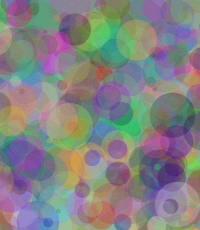
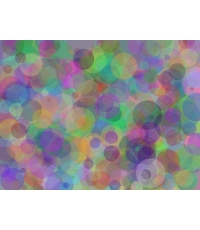
Arithmetic: the frame is 200 ÷ 230 = 0.870 as wide as it is tall and the picture is 1200 ÷ 900 = 1.333, so fill frame keeps a column 900 × 200 ÷ 230 = 783 px wide. Fit all scales by 200 ÷ 1200 = 0.167, which makes the picture 900 × 0.167 = 150 px tall. Measured on 14 October 2026, same method as above, 50 KB maximum.
Use fill frame for a portrait where the part that gets trimmed is background. The IBPS photograph preset uses it. Use fit all for a signature, thumb impression or handwritten declaration, where trimming would cut off ink; the IBPS presets for those three use fit all. If you want a different part of the picture inside the frame, crop it yourself first, then resize.
Making a picture bigger adds pixels, not detail
If your picture has fewer pixels than the size a form asks for, the tool still reaches the size you type, filling the extra pixels in from their neighbours. To see what that is worth, each row below shrinks the 1200 × 900 test picture, enlarges it back to the same size and compares it with the original, pixel by pixel. The last column is the mean difference per colour channel, out of 255.
| Small copy | Enlarged to | Small copy file | Enlarged file | Difference from original, out of 255 |
|---|---|---|---|---|
| 600 × 450 px | 4 times the pixels | 75.9 KB | 184.2 KB | 4.41 |
| 300 × 225 px | 16 times the pixels | 20.6 KB | 124.2 KB | 5.13 |
| 200 × 150 px | 36 times the pixels | 10.3 KB | 99.9 KB | 5.66 |
Measured on 14 October 2026 in Google Chrome 155.0.8059.40 with plain canvas scaling; both copies saved at JPG quality 92. One test picture, so the figures show the direction, not a rule for every photograph.
The enlarged files are far bigger than the small copies they came from, yet the further a picture was shrunk, the further its enlarged version is from the original. A larger file is not a sharper one. When a form wants more pixels than you have, take or scan the picture again at a higher setting.
Keep the shape: work out the other side from the ratio
A resized picture keeps its shape when width ÷ height stays the same. If you know one new side, the other is new height = new width × original height ÷ original width. For a 1200 × 900 picture resized to 800 px wide that is 800 × 900 ÷ 1200 = 600. A form that states both sides at a different shape cannot be met without cropping or white bars, which is the choice in the section above.
Find the other side
Enter your picture's own width and height, then the one new side you know. The other side is worked out so the shape stays the same. Nothing here reads or changes an image.
A new width of 800 px needs a height of 600 px (800 × 900 ÷ 1200). A new height of 600 px needs a width of 800 px (600 × 1200 ÷ 900).
Ratios of the sizes above
| Ratio | Width ÷ height | Sizes with this ratio | Height at 1,200 px wide |
|---|---|---|---|
| 20:23 | 0.870 | 200 × 230 | 1380 px |
| 7:3 | 2.333 | 140 × 60 | 514 px |
| 1:1 | 1.000 | 240 × 240 | 1200 px |
| 2:1 | 2.000 | 800 × 400 | 600 px |
| 13:17 | 0.765 | 130 × 170 | 1569 px |
| 46:15 | 3.067 | 230 × 75 | 391 px |
| 7:9 | 0.778 | 630 × 810 | 1543 px |
| 4:5 | 0.800 | 600 × 750 | 1500 px |
| 4:3 | 1.333 | Arithmetic only | 900 px |
| 3:2 | 1.500 | Arithmetic only | 800 px |
| 16:9 | 1.778 | Arithmetic only | 675 px |
Each ratio is the width and height divided by their largest common factor: 230 × 75 divided by 5 is 46:15. For a size in centimetres, the pixels, KB and DPI guide shows the conversion.
Questions
How do I resize an image to exact pixels?
Add the picture, type the width and the height in the two pixel boxes, or pick a published size from the list, and press Resize image in pixels. The JPG that downloads is exactly that many pixels wide and tall. The result lists its pixels, its size in KB and the JPG quality, next to the pixels of your original. When the picture and the frame have different shapes, fill frame trims the sides and fit all adds white bars.
How do I change the width and height of an image?
Type both numbers into the tool. To change one side and keep the picture's shape, work out the other side first: new height = new width × original height ÷ original width. The helper above the ratio table does that sum for you. If the two numbers you type do not match the picture's shape, the picture is cropped or padded with white. It is never stretched.
How do I resize an image to 200 × 230 pixels?
Pick "Photograph, 200 × 230 px, 20 to 50 KB" in the list. It sets the width, the height, the KB range and fill frame. IBPS calls 200 × 230 the preferred pixel size and sets the file size as the limit. On our test picture, in Chrome, the result came to 36.2 KB at quality 99, inside that range.
How do I resize an image to 140 × 60 pixels?
Pick the IBPS signature in the list: 140 × 60 px, 10 to 20 KB, fit all. A signature is wide, 7:3, so crop your scan close to the ink before you resize, or most of the frame will be white. The IBPS notice asks for black ink on white paper and a signature that is not in capital letters.
Can I resize an image without losing quality?
Not completely. Making a picture smaller throws pixels away, and saving a JPG always compresses a little. The tool saves at the highest JPG quality that fits your KB maximum: 100 out of 100 when no limit is set, lower only when the limit forces it. In our test, reaching 50 KB at 630 × 810 px took the quality down to 68. Making a picture larger cannot bring back detail, so start from the largest original you have.
What is the difference between pixels, cm and KB?
Pixels count the dots across and down. Centimetres are a printed size and need a DPI to become pixels: pixels = cm ÷ 2.54 × DPI, so 3.5 cm at 200 DPI is 276 px. KB is how many bytes the file takes. The same pixels can make different KB, and the same KB can hold different pixels. To start from centimetres, choose the centimetres option under Picture size in the tool.
Does a bigger pixel size always mean a bigger file?
On the same picture, yes. At quality 100 our test picture came to 22.1 KB at 100 × 115 px and 1404.9 KB at 1200 × 1380 px. A plain picture makes a smaller file than a detailed one at the same pixels, so measure your own file: the result shows the KB straight away.
Will the tool stretch my picture?
No. Fill frame scales the picture until it covers the frame and trims the overflow. Fit all scales it until it fits inside and fills the rest with white. Either way the picture keeps its own proportions. If a part of the picture matters, crop it first and resize afterwards.
Is my picture uploaded anywhere?
No. The resizing happens inside your browser and the JPG downloads straight to your device. There is no account and no server copy of your picture.
What this cannot do.
The tool makes a JPG between 16 and 4,000 px on each side. It does not check the subject, the background, the size of the face or whether a portal will accept the file.
It enlarges a picture when you ask for more pixels than the picture has, and the only sign is in the result, where the pixels of your original sit beside the pixels of the output. The US and Indian e-Visa sizes in the list are our choice inside the ranges those sites give, because their pages state no pixel count.
Copy the numbers from your own notice or upload screen before you rely on a preset.
Compare the numbers in the pixels, KB and DPI guide, or start from an application preset linked to its official notice.
Other tools: Increase image size in KB · Photo resizer in KB · Signature resizer · Resize image to 20 KB · Compress image to 50 KB · Compress image to 100 KB · Compress image to 200 KB · Compress PDF to 200 KB · Compress PDF to 100 KB · Compress PDF to 500 KB · Compress PDF to 300 KB · Compress PDF to 50 KB · Compress image to 30 KB · Compress image to 15 KB · Compress image to 10 KB · JPG to PDF 200 KB · Passport photo size · Resize image in cm